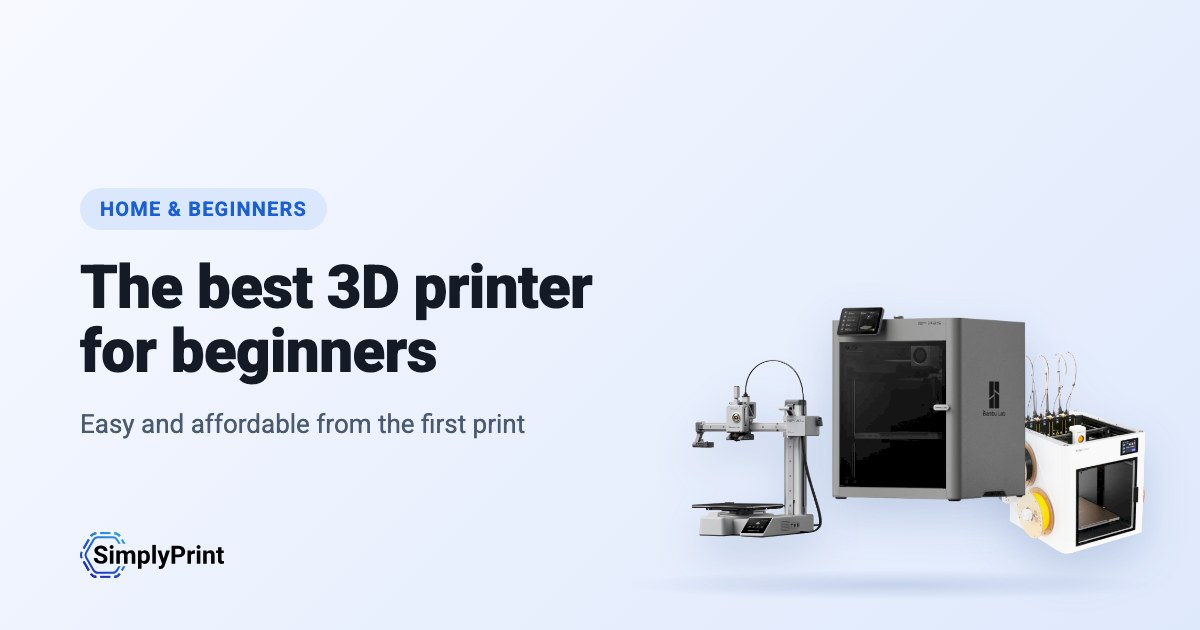
The best 3D printer for beginners in 2026 is the one that works on the first evening and keeps working. Ten years ago a first printer meant a weekend of assembly and tuning; today most printers level their own bed, calibrate themselves and print a first model the evening they arrive. That makes the choice less about specs and more about price, ease, multi-colour and how much freedom you want later. The same picks make the best home 3D printer, whether you are new to it or one of the hobbyists who already own three. Our picks below are ranked when you open the page, from what our printer catalog knows today.
Our picks: the best 3D printer for beginners in 2026
The best first printer overall, then the best for each budget and the best for multi-colour. Every reason under a printer is read from its data and our assessment of it for home use, and the score is out of 100.
現在、このガイドの条件を満たすプリンターはカタログにありません。代わりに、SimplyPrintに対応するすべてのプリンターを参照してください。 3Dプリンターを選択
The best 3D printer for home use, ranked
The top ten for home, and the best 3D printer for hobbyists who want room to grow. Open a printer for its specs, reviews and setup guide, or compare the top four on our printer comparison.
What a first 3D printer needs
It sets itself up
Automatic bed levelling and calibration are what make a modern printer easy. Without them, most beginner trouble starts with the first layer. Each printer's page in our compatibility list says whether it levels its own bed.
Enclosed or open: where will it live?
An open-frame printer, where the bed moves back and forth, is cheaper, easier to repair and fine for PLA and PETG. An enclosed printer is quieter, safer around children and pets, and prints ABS and ASA. In a living room, the enclosure is worth paying for. In a garage or workshop it is optional.
Multi-colour: now or later?
A multi-material unit feeds four or more spools into one printer, so a print can change colour by itself. It is the most fun upgrade in home printing, and it costs more and wastes a little filament on every colour change. Many printers can add one later, so you don't have to decide on day one. Our picks list which unit each printer works with.
Software you can grow into
Your slicer turns a model into instructions for the printer. Most makers ship their own, often based on the open-source OrcaSlicer or PrusaSlicer; we compared the two most popular in OrcaSlicer vs Bambu Studio. SimplyPrint adds the rest: slicing in the browser, remote control from your phone, AI failure detection that pauses a print going wrong, and filament tracking so you know what is left on each spool.
What it really costs
The printer is the big cost, then filament. Budget for a few spools of PLA and PETG, a spare nozzle and, later, a second build plate. The best budget 3D printer is often a cheap one with a large community, not a pricier one few people own: every problem you meet has already been solved by someone.
Where to start printing
Your first prints don't need a 3D design program. Model sites such as Printables and MakerWorld have millions of free models, and most open straight in your slicer. When you want to make your own, free tools like Tinkercad run in a browser and are made for beginners: our guide to 3D printing from Tinkercad walks through the first model.
Before you buy: a checklist
- Where will it live? A living room or bedroom: enclosed and quiet. A garage or workshop: either.
- What will you print first? Toys, organisers and gifts in PLA need nothing special; tough outdoor parts want PETG or ASA.
- Colour now or later? If later, check the printer can take a multi-material unit.
- Who will help? A big community and a maker that answers matter more than a spec you won't use.
- Can you get spares? Nozzles and build plates wear out; check they are sold where you live.
Open or walled garden: how free you are later
Some printer makers work like Apple: the printer, slicer, cloud and spare parts come from one company, polished to work together, on its terms. Others work like Android, or a Linux PC: open firmware, any slicer, any filament, parts you can buy or print. Many beginners are happiest in the closed system at first. The question is what happens when you want to tinker, or the maker changes its mind about what your printer may do. We rate each brand in six areas from public sources.
Where they come from, and staying compliant
Most of the best 3D printers today come from Chinese companies, and this ranking reflects that: right now they give you the most printer for the money. That's no judgement of the people who make them. But for some buyers, where a printer comes from matters: some people would simply rather buy from a company closer to home, or keep a printer off its maker's cloud.
このガイドにはまだランクインしていません。
Any printer, on your terms, with SimplyPrint
Whoever makes your printer, SimplyPrint decides what it talks to:
- Off its maker's cloud. Most printers connect through the SimplyPrint Client on your own network, or in their local-network mode (Bambu Lab's LAN-only mode, with Developer Mode on its newer printers), so they never need their maker's cloud. You can block them from the internet entirely and let only the SimplyPrint Client connect out.
- Your data stored in Europe. SimplyPrint's cloud is hosted in Frankfurt, Germany, under the GDPR. See how we keep it secure and who processes data for us.
- One place for access. Users, permissions, single sign-on and an audit log, for every printer, whatever its brand.
- On your own servers, if you need it. See cloud vs. on-premise.
How we choose
No brand pays for its place in this guide. The ranking is a formula over our catalog, the same for every printer, and it runs again each time the page loads. For beginners and home use it weighs our assessment, price, reviews and multi-colour most:
| 評価で重視する点 | ポイント | 測定方法 |
|---|---|---|
| この用途に対する評価 | 22 | このタイプの購入者に向けたプリンターの記述式評価です。評価は「非常に良い」「良い」「普通」「悪い」の4段階で、「悪い」と評価したプリンターは除外します。まだ評価していないプリンターについては、この要素を除き、他の要素の比重を高めます。 |
| 価格 | 13 | 地域の現在の最安値を、ガイド内の他の製品と対数スケールで比較します。現在の価格がない場合は低評価になります。 |
| 使用中の台数 | 12 | SimplyPrintで使用されているこのモデルの台数を対数目盛で示します。多くの人に信頼されているかどうかの指標です。新しいバージョンは、発売されたばかりであることが不利にならないよう、前身となるプリンターのうち最も使用台数の多いモデルの半数以上の台数が使用されているものとして計算します。 |
| 第三者レビュー | 10 | レビューした信頼できるメディアやYouTubeレビュアーの数です。最大4件まで数えます。 |
| マルチカラー・マルチマテリアル | 10 | マルチマテリアルユニット、ツールチェンジャー、または2基のエクストルーダーを搭載しているか、対応しているかどうか。 |
| SimplyPrintに対応 | 8 | SimplyPrintで動作確認済み、互換性あり、または接続方法から動作が見込まれます。 |
| 新しさ | 8 | 今年または昨年発売されたプリンターは満点となり、それ以降は年ごとに点数が下がります。新しいバージョンがあるプリンターは、この項目では点数が付きません。 |
| 内蔵カメラ | 5 | プリントの確認と失敗検知に使える内蔵カメラ。 |
| エンクロージャー | 4 | 完全密閉を最も高く評価し、部分密閉はその半分とします。 |
| SimplyPrintユーザーによる評価 | 3 | 評価を投稿したSimplyPrintユーザーによる評価 |
| プリントに適した材料 | 3 | 温度、エンクロージャー、メーカーのリストから判断した、良好にプリントできるフィラメントの種類数です。 |
| ブランドの開放性 | 2 | 下のオープンから閉鎖的までの尺度におけるブランドの位置です。未評価の場合は中央として扱います。 |
対象となるプリンターは、SimplyPrintで動作し(動作確認済み、互換性あり、または接続方法から動作が見込まれる)、メーカー独自のモデルで、現在も販売されているものです。販売中とは、メーカーが販売を続けている、店舗に現在の価格がある、または過去3年以内に発売された場合を指します。
このガイドでは、最安の販売店でUS$800以下のプリンターを評価しています。それより高価なプリンターは、編集者が選んだ場合を除き対象外です。
ブランドのオープン性は数点分の評価に反映されますが、それによって性能の劣るプリンターが最上位になることはありません。ブランドのこれまでの実績は各おすすめ製品に表示されますが、スコアには影響しません。企業に関するニュースは、プリンターの評価とは無関係です。
プリンターはスコアに基づいて選びます。ただし、実際の使用経験とスコアが一致しない場合は、編集者が別の機種を選ぶことがあり、その旨を明記します。
プリンターの新しいバージョンがガイドに掲載され、SimplyPrintでの動作が確認されている場合、古いバージョンは掲載されません。そうでない場合、古いバージョンは掲載されたままとなり、新しさに対する加点はなく、新しいバージョンがあることが記載されます。
一部のメーカーからはプリンターの提供や直接の協力を受けています。その場合は、ガイド内の該当プリンターの横に明記しています。
誤りを見つけた場合はお知らせください。修正します。 問い合わせる
オープン性の尺度
各ブランドを6つの分野で1(閉鎖的)から5(オープン)まで評価します。評価にはそれぞれ公開情報の出典を記載しています。総合評価は加重平均で、ブランドが閉鎖的な環境からオープンな環境までのどこに位置するかを示します。
| 項目 | 重量 |
|---|---|
| ファームウェアとカスタムファームウェア | 30% |
| ローカル制御と連携 | 30% |
| サードパーティー製フィラメント、スライサー、部品 | 15% |
| 修理と交換部品 | 10% |
| データとプライバシー | 10% |
| コミュニティとドキュメント | 5% |
開く 4.25から · ほぼオープン 3.50から · 混在 2.75から · ほぼクローズド 2.00から · 閉鎖的なエコシステム その下
Some buying links earn us a commission at no cost to you; they never change the ranking. We make SimplyPrint, which runs printers from every brand here, so "works with SimplyPrint" is one factor: it is a fair sign of how many people trust a printer.
本日カタログから作成:販売中のSimplyPrint対応プリンター0機種から0機種をランキング。 記述式の評価は順次追加しています。それまでは事実のみを基に順位を付けます。