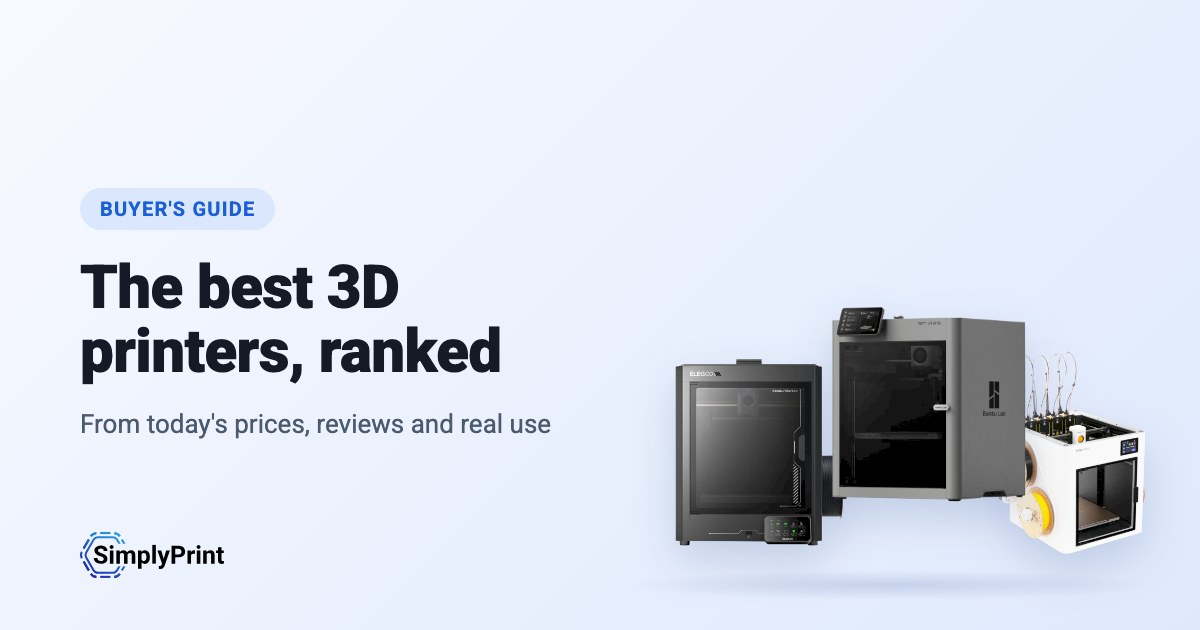
Picking the best 3D printer in 2026 is harder than it should be. There are dozens of good machines, prices change every week, and most "best 3D printer" lists are written once and left to age. This 3D printer buying guide works differently: the picks below are ranked when you open the page, from what our printer catalog knows today. That means the prices in your region's stores, independent reviews, how many people run each printer with SimplyPrint, and how open each brand leaves you.
Our picks: the best 3D printer 2026
These printers come out on top today, overall and for each budget. Looking for the best budget 3D printer? It is the pick for the lowest price band. Every reason under a printer is read from its data, and the score is out of 100. Prices are the lowest we found in your region, and the buttons take you to the store.
Kein Drucker in unserem Katalog erfüllt derzeit die Regeln dieses Leitfadens. Sieh dir stattdessen alle Drucker an, die mit SimplyPrint funktionieren. Wähle deinen 3D-Drucker
The best 3D printer for what you do
If you are asking "what 3D printer should I buy?", start with what you will use it for. The best printer for a classroom is not the best printer for a farm of forty machines. Each of these guides weighs what that buyer cares about most:
- Schools weigh safety and running without fuss: an enclosure, a reliable first print, and a way to let a whole class print without a teacher standing at every machine.
- Beginners and home users weigh price, ease and fun: multi-colour, a printer that levels its own bed, and a big community when something goes wrong.
- Print farms weigh uptime for the money: identical machines that run unattended, plate swapping, remote control and spare parts.
- Businesses weigh materials, reliability and data: engineering filaments, support, and whether the printer has to talk to its maker's cloud.
The ranking
The top ten for most people. Open a printer for its specs, reviews and setup guide, or compare the top four side by side on our printer comparison.
What to look for in a 3D printer
Enclosed or open frame
An enclosed printer keeps heat in and hands out. That matters for ABS, ASA and nylon, which warp in a draft, and in any room with children in it. An open-frame printer, where the bed moves back and forth, costs less and is easier to work on. It is fine for PLA and PETG at home.
Multi-colour
Multi-material units feed several spools into one printer, so a print can change colour or material by itself. Bambu Lab's AMS, Creality's CFS, Anycubic's ACE Pro and Prusa's MMU all work this way. They add cost and waste a little filament on every change. Toolchangers and printers with two independent extruders do the same with less waste, for more money.
Size and speed
Most people never fill a 256 mm cube. A bigger bed costs more, takes more room and heats up slower. The top speed on a spec sheet is rarely what you print at, so reliability and quality at sensible speeds matter more than the headline number.
Materials
Almost any printer prints PLA. PETG wants a hotter bed, TPU a direct-drive extruder, ABS and ASA an enclosure, and carbon-fibre filled filaments a hardened nozzle. Every printer in our compatibility list shows what it prints well, and why.
Software, and the printer's future
The printer you buy comes with a slicer, a phone app, a cloud and a firmware update schedule. Check that it works with the slicer you want, that you can print without the maker's cloud if you need to, and that the maker sells spare parts. SimplyPrint runs printers from more than 130 brands in one place, with slicing in the browser, so the brand you buy today doesn't decide the software you use tomorrow.
Open or walled garden: how free does a brand leave you?
Some 3D printer makers work like Apple. One company makes the printer, the slicer, the cloud, the multi-colour system and the spare parts, and it all works together from the first day, on that company's terms. Others work more like Android, or a Linux PC: the firmware is open source, the printer runs without the maker's cloud, any filament and slicer works, and you can buy or print the parts to repair it.
Neither is wrong. A closed system is often the easiest start, and a school or company may like one vendor answering for everything. But the maker decides what the printer can do later. In January 2025, Bambu Lab announced firmware that requires its own authorization for operations such as starting a print, and stops unauthorized third-party software from doing them. It later added an optional Developer Mode that leaves local control open, without support. An open source 3D printer sits at the other end: Prusa publishes its firmware source code, and many printers run Klipper, an open-source firmware anyone can change.
So we rate every brand in this guide in six areas, each from public sources: firmware, local control without the maker's cloud, third-party filament and slicers, repairs and spare parts, data and privacy, and community. We also keep a dated track record of recalls, layoffs, policy changes and closures. Only what happened, with its source, and never a guess about what might.
Where they come from, and staying compliant
Most of the best 3D printers today come from Chinese companies, and this ranking reflects that: right now they give you the most printer for the money. That's no judgement of the people who make them. But for some buyers, where a printer comes from matters: schools, public bodies and companies often have rules about where their devices are made and where their data goes.
Noch keiner in diesem Ratgeber bewertet.
Any printer, on your terms, with SimplyPrint
Whoever makes your printer, SimplyPrint decides what it talks to:
- Off its maker's cloud. Most printers connect through the SimplyPrint Client on your own network, or in their local-network mode (Bambu Lab's LAN-only mode, with Developer Mode on its newer printers), so they never need their maker's cloud. You can block them from the internet entirely and let only the SimplyPrint Client connect out.
- Your data stored in Europe. SimplyPrint's cloud is hosted in Frankfurt, Germany, under the GDPR. See how we keep it secure and who processes data for us.
- One place for access. Users, permissions, single sign-on and an audit log, for every printer, whatever its brand.
- On your own servers, if you need it. See cloud vs. on-premise.
How we choose
No brand pays for its place in this guide. The ranking is a formula over our catalog, the same for every printer, and it runs again each time the page loads. This is what it weighs for this guide, out of 100 points:
| Was wir berücksichtigen | Punkte | So wird gemessen |
|---|---|---|
| Unsere Bewertung für diesen Einsatz | 16 | Unsere schriftliche Einschätzung des Druckers für diese Käufergruppe: sehr gut, gut, okay oder schlecht. Drucker, die wir für sie als schlecht bewerten, lassen wir weg. Noch sind nicht alle Drucker bewertet. Bei diesen entfällt dieser Faktor, die anderen zählen stärker. |
| Anzahl im Einsatz | 12 | Wie viele Drucker dieses Modells auf SimplyPrint betrieben werden, auf einer logarithmischen Skala: ein Hinweis darauf, wie viele Menschen darauf vertrauen. Eine neuere Version zählt als von mindestens halb so vielen Personen genutzt wie der meistgenutzte Drucker, den sie ablöst, damit sie nicht nur wegen ihres Alters schlechter bewertet wird. |
| Preis | 12 | Der niedrigste aktuelle Preis für deine Region, auf einer logarithmischen Skala mit den anderen im Ratgeber verglichen. Kein aktueller Preis zählt als niedrig. |
| Funktioniert mit SimplyPrint | 10 | Von SimplyPrint geprüft, kompatibel oder aufgrund der Verbindungsart voraussichtlich funktionsfähig. |
| Unabhängige Bewertungen | 10 | Wie viele renommierte Tester aus Presse und YouTube ihn getestet haben, maximal vier. |
| Gehäuse | 8 | Vollständig eingehaust zählt am meisten, teilweise eingehaust zur Hälfte. |
| Mehrfarbig und Multimaterial | 8 | Ob er mit einer Multi-Material-Einheit, einem Toolchanger oder zwei Extrudern geliefert wird oder damit funktioniert. |
| Wie neu er ist | 8 | Drucker, die dieses oder letztes Jahr erschienen sind, zählen vollständig, danach jedes Jahr weniger. Ein Drucker mit einer neueren Version erhält hier keine Punkte. |
| Integrierte Kamera | 6 | Eine integrierte Kamera zum Beobachten von Drucken und zur Fehlererkennung. |
| Gut druckbare Materialien | 4 | Wie viele Filamentarten er anhand seiner Temperaturen, des Gehäuses und der Herstellerliste gut druckt. |
| Bewertung von SimplyPrint-Nutzern | 3 | Wie SimplyPrint-Nutzer ihn bewerten, wenn sie ihn bewertet haben. |
| Offenheit der Marke | 3 | Die Position der Marke auf unserer Skala von offen bis geschlossenem Ökosystem. Noch nicht bewertet zählt als Mitte. |
Ein Drucker wird berücksichtigt, wenn er mit SimplyPrint funktioniert (verifiziert, kompatibel oder aufgrund seiner Verbindung erwartet), ein eigenes Modell des Herstellers ist und noch verkauft wird: Der Hersteller verkauft ihn noch, ein Shop hat einen aktuellen Preis oder er wurde in den letzten 3 Jahren eingeführt.
Dieser Leitfaden bewertet Drucker, die im günstigsten Shop bis zu US$800 kosten. Teurere werden nur berücksichtigt, wenn sie von unserer Redaktion ausgewählt wurden.
Wie offen eine Marke ist, zählt ein paar Punkte, reicht aber nie aus, um einen schwächeren Drucker zum besten zu machen. Die Erfolgsbilanz wird bei jeder Auswahl angezeigt, ändert aber nicht die Bewertung: Nachrichten über ein Konto sagen nichts über dessen Drucker aus.
Die Bewertung bestimmt die Druckerauswahl, mit einer Ausnahme: Wenn unsere eigenen Praxiserfahrungen mit einem Drucker seiner Bewertung widersprechen, kann unsere Redaktion eine andere Empfehlung wählen, die entsprechend gekennzeichnet ist.
Wenn eine neuere Version eines Druckers im Ratgeber enthalten ist und bekanntermaßen mit SimplyPrint funktioniert, wird die ältere ausgelassen. Ist die neuere nicht enthalten, bleibt die ältere, erhält keine Punkte für ihre Aktualität und weist auf eine neuere Version hin.
Einige Hersteller schicken uns Drucker oder arbeiten direkt mit uns zusammen. Wenn das der Fall ist, weist der Leitfaden bei ihren Druckern darauf hin.
Etwas Falsches entdeckt? Sag uns Bescheid, dann beheben wir es. Kontakt aufnehmen
Die Offenheitsskala
Jede Marke wird in sechs Bereichen von 1 (geschlossen) bis 5 (offen) bewertet, anhand öffentlicher Quellen, die wir bei jeder Bewertung aufführen. Die Gesamtbewertung ist der gewichtete Mittelwert und ordnet die Marke auf einer Skala von abgeschottet bis offen ein:
| Bereich | Gewicht |
|---|---|
| Firmware und angepasste Firmware | 30% |
| Lokale Steuerung und Integrationen | 30% |
| Filament, Slicer und Teile von Drittanbietern | 15% |
| Reparaturen und Ersatzteile | 10% |
| Daten und Datenschutz | 10% |
| Community und Dokumentation | 5% |
Öffnen ab 4.25 · Weitgehend offen ab 3.50 · Gemischt ab 2.75 · Weitgehend geschlossen ab 2.00 · Abgeschlossenes Ökosystem darunter
Some buying links earn us a commission at no cost to you; they never change the ranking. We make SimplyPrint, which runs printers from every brand here, so "works with SimplyPrint" is one factor. It is a fair sign of how many people trust a printer, and it is the software you would manage the printer with if you chose to.
Heute basierend auf unserem Katalog erstellt: 0 von 0 erhältlichen Druckern, die mit SimplyPrint funktionieren, wurden bewertet. Unsere schriftlichen Einschätzungen werden noch ergänzt. Bis dahin basiert die Rangfolge nur auf den Fakten.