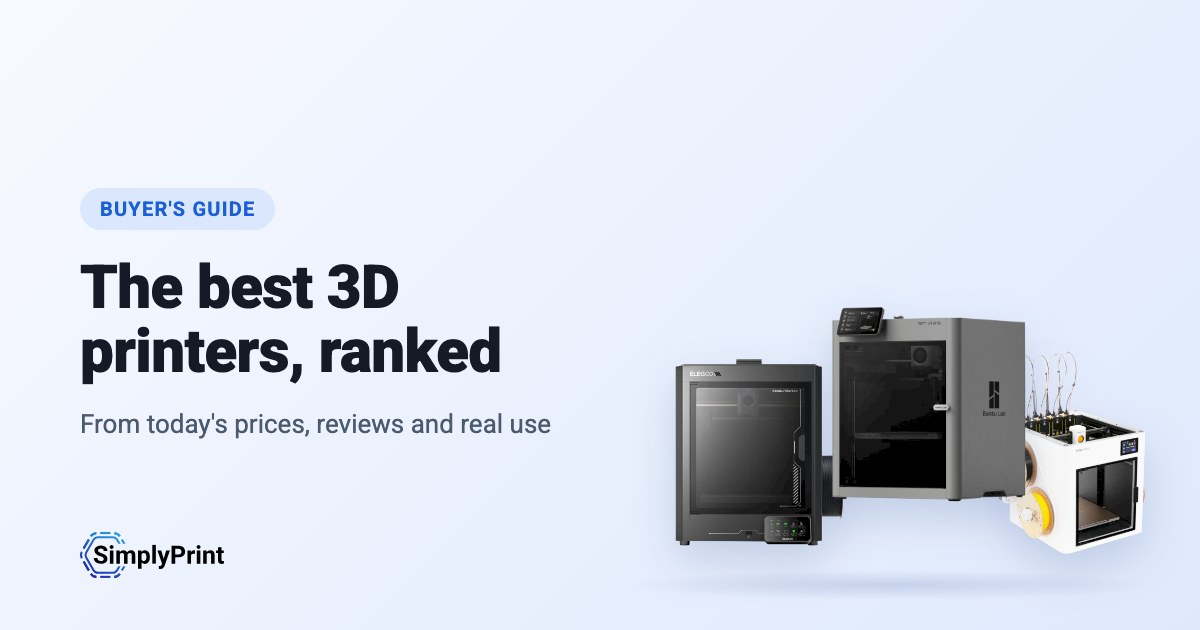
Picking the best 3D printer in 2026 is harder than it should be. There are dozens of good machines, prices change every week, and most "best 3D printer" lists are written once and left to age. This 3D printer buying guide works differently: the picks below are ranked when you open the page, from what our printer catalog knows today. That means the prices in your region's stores, independent reviews, how many people run each printer with SimplyPrint, and how open each brand leaves you.
Our picks: the best 3D printer 2026
These printers come out on top today, overall and for each budget. Looking for the best budget 3D printer? It is the pick for the lowest price band. Every reason under a printer is read from its data, and the score is out of 100. Prices are the lowest we found in your region, and the buttons take you to the store.
Aucune imprimante de notre catalogue ne respecte actuellement les critères de ce guide. Consultez plutôt toutes les imprimantes compatibles avec SimplyPrint. Choisir votre imprimante 3D
The best 3D printer for what you do
If you are asking "what 3D printer should I buy?", start with what you will use it for. The best printer for a classroom is not the best printer for a farm of forty machines. Each of these guides weighs what that buyer cares about most:
- Schools weigh safety and running without fuss: an enclosure, a reliable first print, and a way to let a whole class print without a teacher standing at every machine.
- Beginners and home users weigh price, ease and fun: multi-colour, a printer that levels its own bed, and a big community when something goes wrong.
- Print farms weigh uptime for the money: identical machines that run unattended, plate swapping, remote control and spare parts.
- Businesses weigh materials, reliability and data: engineering filaments, support, and whether the printer has to talk to its maker's cloud.
The ranking
The top ten for most people. Open a printer for its specs, reviews and setup guide, or compare the top four side by side on our printer comparison.
What to look for in a 3D printer
Enclosed or open frame
An enclosed printer keeps heat in and hands out. That matters for ABS, ASA and nylon, which warp in a draft, and in any room with children in it. An open-frame printer, where the bed moves back and forth, costs less and is easier to work on. It is fine for PLA and PETG at home.
Multi-colour
Multi-material units feed several spools into one printer, so a print can change colour or material by itself. Bambu Lab's AMS, Creality's CFS, Anycubic's ACE Pro and Prusa's MMU all work this way. They add cost and waste a little filament on every change. Toolchangers and printers with two independent extruders do the same with less waste, for more money.
Size and speed
Most people never fill a 256 mm cube. A bigger bed costs more, takes more room and heats up slower. The top speed on a spec sheet is rarely what you print at, so reliability and quality at sensible speeds matter more than the headline number.
Materials
Almost any printer prints PLA. PETG wants a hotter bed, TPU a direct-drive extruder, ABS and ASA an enclosure, and carbon-fibre filled filaments a hardened nozzle. Every printer in our compatibility list shows what it prints well, and why.
Software, and the printer's future
The printer you buy comes with a slicer, a phone app, a cloud and a firmware update schedule. Check that it works with the slicer you want, that you can print without the maker's cloud if you need to, and that the maker sells spare parts. SimplyPrint runs printers from more than 130 brands in one place, with slicing in the browser, so the brand you buy today doesn't decide the software you use tomorrow.
Open or walled garden: how free does a brand leave you?
Some 3D printer makers work like Apple. One company makes the printer, the slicer, the cloud, the multi-colour system and the spare parts, and it all works together from the first day, on that company's terms. Others work more like Android, or a Linux PC: the firmware is open source, the printer runs without the maker's cloud, any filament and slicer works, and you can buy or print the parts to repair it.
Neither is wrong. A closed system is often the easiest start, and a school or company may like one vendor answering for everything. But the maker decides what the printer can do later. In January 2025, Bambu Lab announced firmware that requires its own authorization for operations such as starting a print, and stops unauthorized third-party software from doing them. It later added an optional Developer Mode that leaves local control open, without support. An open source 3D printer sits at the other end: Prusa publishes its firmware source code, and many printers run Klipper, an open-source firmware anyone can change.
So we rate every brand in this guide in six areas, each from public sources: firmware, local control without the maker's cloud, third-party filament and slicers, repairs and spare parts, data and privacy, and community. We also keep a dated track record of recalls, layoffs, policy changes and closures. Only what happened, with its source, and never a guess about what might.
Where they come from, and staying compliant
Most of the best 3D printers today come from Chinese companies, and this ranking reflects that: right now they give you the most printer for the money. That's no judgement of the people who make them. But for some buyers, where a printer comes from matters: schools, public bodies and companies often have rules about where their devices are made and where their data goes.
Aucune n’est encore classée dans ce guide.
Any printer, on your terms, with SimplyPrint
Whoever makes your printer, SimplyPrint decides what it talks to:
- Off its maker's cloud. Most printers connect through the SimplyPrint Client on your own network, or in their local-network mode (Bambu Lab's LAN-only mode, with Developer Mode on its newer printers), so they never need their maker's cloud. You can block them from the internet entirely and let only the SimplyPrint Client connect out.
- Your data stored in Europe. SimplyPrint's cloud is hosted in Frankfurt, Germany, under the GDPR. See how we keep it secure and who processes data for us.
- One place for access. Users, permissions, single sign-on and an audit log, for every printer, whatever its brand.
- On your own servers, if you need it. See cloud vs. on-premise.
How we choose
No brand pays for its place in this guide. The ranking is a formula over our catalog, the same for every printer, and it runs again each time the page loads. This is what it weighs for this guide, out of 100 points:
| Ce que nous prenons en compte | Points | Méthode de mesure |
|---|---|---|
| Notre évaluation pour cet usage | 16 | Notre évaluation écrite de l’imprimante pour ce type d’acheteur : excellente, bonne, correcte ou médiocre. Une imprimante que nous jugeons médiocre pour cet usage est exclue. Toutes les imprimantes ne sont pas encore évaluées, pour celles-ci, ce facteur est exclu et les autres comptent davantage. |
| Nombre en service | 12 | Le nombre d’imprimantes de ce modèle utilisées sur SimplyPrint, sur une échelle logarithmique : un indicateur du nombre de personnes qui lui font confiance. Une version plus récente est considérée comme utilisée par au moins la moitié du nombre d’utilisateurs de l’imprimante qu’elle remplace le plus utilisée, afin de ne pas être pénalisée parce qu’elle est récente. |
| Prix | 12 | Le prix actuel le plus bas dans votre région, comparé aux autres du guide sur une échelle logarithmique. L’absence de prix actuel est considérée comme un prix bas. |
| Fonctionne avec SimplyPrint | 10 | Vérifiée par SimplyPrint, compatible ou susceptible de fonctionner selon son mode de connexion. |
| Avis indépendants | 10 | Nombre de testeurs reconnus, presse et YouTube, qui l’ont évaluée, jusqu’à quatre. |
| Enceinte | 8 | Une imprimante entièrement fermée compte le plus, une imprimante partiellement fermée la moitié. |
| Multicolore et multi-matériaux | 8 | Si elle est fournie avec une unité multi-matériaux, un changeur d’outils ou deux extrudeurs, ou si elle est compatible avec eux. |
| Nouveauté | 8 | Une imprimante lancée cette année ou l’année dernière compte entièrement, puis moins chaque année suivante. Une imprimante disposant d’une version plus récente n’obtient rien ici. |
| Caméra intégrée | 6 | Une caméra intégrée, pour surveiller les impressions et détecter les échecs. |
| Matériaux qu’elle imprime bien | 4 | Nombre de types de filament qu’elle imprime bien, selon ses températures, son enceinte et la liste du fabricant. |
| Évaluations des utilisateurs de SimplyPrint | 3 | La note des utilisateurs de SimplyPrint, lorsqu’ils l’ont évaluée. |
| L’ouverture de la marque | 3 | La position de la marque sur notre échelle allant de l’ouverture à l’écosystème fermé, ci-dessous. Une absence d’évaluation correspond au milieu. |
Une imprimante est retenue lorsqu’elle fonctionne avec SimplyPrint (vérifiée, compatible ou supposée compatible d’après son mode de connexion), qu’il s’agit bien d’un modèle du fabricant et qu’elle est toujours commercialisée : le fabricant la vend encore, une boutique affiche un prix actuel ou elle a été lancée il y a moins de 3 ans.
Ce guide classe les imprimantes coûtant jusqu’à US$800 dans leur magasin le moins cher ; une imprimante plus chère est exclue, sauf si notre rédacteur la sélectionne.
L’ouverture d’une marque compte pour quelques points, jamais assez pour faire d’une imprimante moins performante le meilleur choix. Son historique est indiqué pour chaque sélection, mais ne modifie pas le score : les actualités d’une entreprise ne disent rien sur son imprimante.
Le score détermine les imprimantes sélectionnées, à une exception près : lorsque notre propre expérience pratique d’une imprimante contredit son score, notre rédacteur peut faire un autre choix, qui l’indique.
Lorsqu’une version plus récente d’une imprimante figure dans le guide et est connue pour fonctionner avec SimplyPrint, l’ancienne n’est pas incluse. Si ce n’est pas le cas, l’ancienne reste, ne reçoit aucun point pour sa nouveauté et indique qu’elle a une version plus récente.
Quelques fabricants nous envoient des imprimantes ou travaillent directement avec nous ; le cas échéant, le guide l’indique à côté de leurs imprimantes.
Vous avez repéré une erreur ? Dites-le-nous et nous la corrigerons. Nous contacter
L’échelle d’ouverture
Chaque marque est notée de 1, fermée, à 5, ouverte, selon six critères, à partir de sources publiques indiquées pour chaque note. La note globale est la moyenne pondérée et place la marque sur une échelle allant d’un écosystème fermé à ouvert :
| Domaine | Poids |
|---|---|
| Micrologiciel et micrologiciel personnalisé | 30% |
| Contrôle local et intégrations | 30% |
| Filaments, slicers et pièces tiers | 15% |
| Réparations et pièces détachées | 10% |
| Données et confidentialité | 10% |
| Communauté et documentation | 5% |
Ouvert à partir de 4.25 · Plutôt ouverte à partir de 3.50 · Mixte à partir de 2.75 · Plutôt fermée à partir de 2.00 · Jardin clos en dessous
Some buying links earn us a commission at no cost to you; they never change the ranking. We make SimplyPrint, which runs printers from every brand here, so "works with SimplyPrint" is one factor. It is a fair sign of how many people trust a printer, and it is the software you would manage the printer with if you chose to.
Établi aujourd’hui à partir de notre catalogue : 0 imprimantes classées sur 0 en vente et compatibles avec SimplyPrint. Nos évaluations écrites sont encore en cours d’ajout, d’ici là, le classement repose uniquement sur les faits.