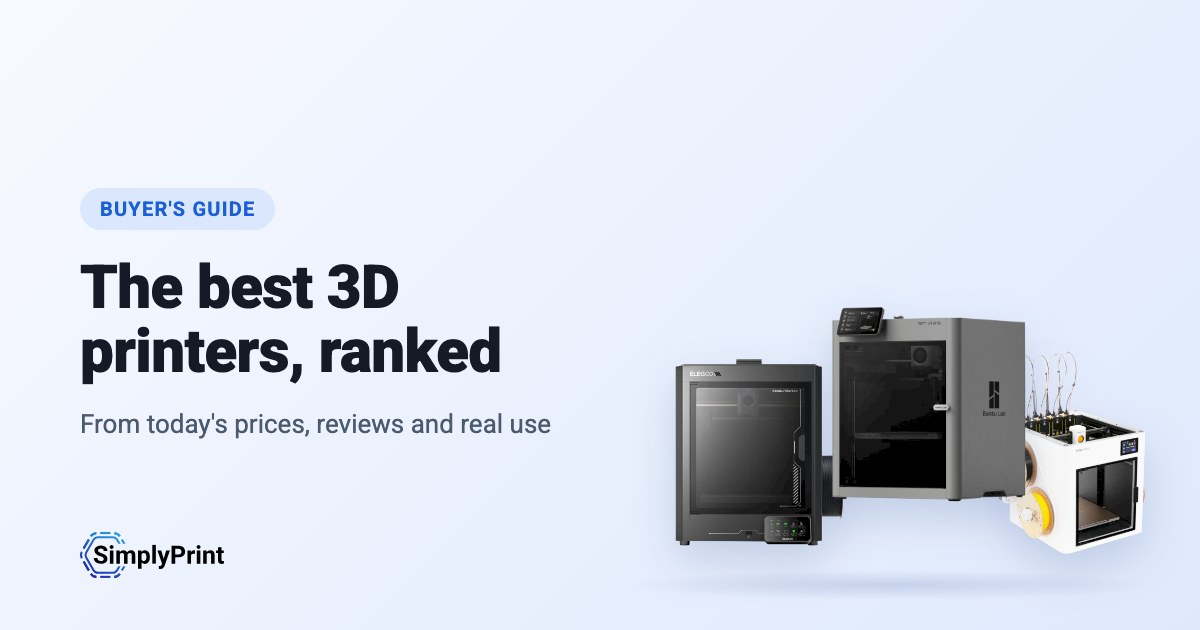
Picking the best 3D printer in 2026 is harder than it should be. There are dozens of good machines, prices change every week, and most "best 3D printer" lists are written once and left to age. This 3D printer buying guide works differently: the picks below are ranked when you open the page, from what our printer catalog knows today. That means the prices in your region's stores, independent reviews, how many people run each printer with SimplyPrint, and how open each brand leaves you.
Our picks: the best 3D printer 2026
These printers come out on top today, overall and for each budget. Looking for the best budget 3D printer? It is the pick for the lowest price band. Every reason under a printer is read from its data, and the score is out of 100. Prices are the lowest we found in your region, and the buttons take you to the store.
Nenhuma impressora do nosso catálogo atende às regras deste guia no momento. Em vez disso, veja todas as impressoras compatíveis com SimplyPrint. Escolha sua impressora 3D
The best 3D printer for what you do
If you are asking "what 3D printer should I buy?", start with what you will use it for. The best printer for a classroom is not the best printer for a farm of forty machines. Each of these guides weighs what that buyer cares about most:
- Schools weigh safety and running without fuss: an enclosure, a reliable first print, and a way to let a whole class print without a teacher standing at every machine.
- Beginners and home users weigh price, ease and fun: multi-colour, a printer that levels its own bed, and a big community when something goes wrong.
- Print farms weigh uptime for the money: identical machines that run unattended, plate swapping, remote control and spare parts.
- Businesses weigh materials, reliability and data: engineering filaments, support, and whether the printer has to talk to its maker's cloud.
The ranking
The top ten for most people. Open a printer for its specs, reviews and setup guide, or compare the top four side by side on our printer comparison.
What to look for in a 3D printer
Enclosed or open frame
An enclosed printer keeps heat in and hands out. That matters for ABS, ASA and nylon, which warp in a draft, and in any room with children in it. An open-frame printer, where the bed moves back and forth, costs less and is easier to work on. It is fine for PLA and PETG at home.
Multi-colour
Multi-material units feed several spools into one printer, so a print can change colour or material by itself. Bambu Lab's AMS, Creality's CFS, Anycubic's ACE Pro and Prusa's MMU all work this way. They add cost and waste a little filament on every change. Toolchangers and printers with two independent extruders do the same with less waste, for more money.
Size and speed
Most people never fill a 256 mm cube. A bigger bed costs more, takes more room and heats up slower. The top speed on a spec sheet is rarely what you print at, so reliability and quality at sensible speeds matter more than the headline number.
Materials
Almost any printer prints PLA. PETG wants a hotter bed, TPU a direct-drive extruder, ABS and ASA an enclosure, and carbon-fibre filled filaments a hardened nozzle. Every printer in our compatibility list shows what it prints well, and why.
Software, and the printer's future
The printer you buy comes with a slicer, a phone app, a cloud and a firmware update schedule. Check that it works with the slicer you want, that you can print without the maker's cloud if you need to, and that the maker sells spare parts. SimplyPrint runs printers from more than 130 brands in one place, with slicing in the browser, so the brand you buy today doesn't decide the software you use tomorrow.
Open or walled garden: how free does a brand leave you?
Some 3D printer makers work like Apple. One company makes the printer, the slicer, the cloud, the multi-colour system and the spare parts, and it all works together from the first day, on that company's terms. Others work more like Android, or a Linux PC: the firmware is open source, the printer runs without the maker's cloud, any filament and slicer works, and you can buy or print the parts to repair it.
Neither is wrong. A closed system is often the easiest start, and a school or company may like one vendor answering for everything. But the maker decides what the printer can do later. In January 2025, Bambu Lab announced firmware that requires its own authorization for operations such as starting a print, and stops unauthorized third-party software from doing them. It later added an optional Developer Mode that leaves local control open, without support. An open source 3D printer sits at the other end: Prusa publishes its firmware source code, and many printers run Klipper, an open-source firmware anyone can change.
So we rate every brand in this guide in six areas, each from public sources: firmware, local control without the maker's cloud, third-party filament and slicers, repairs and spare parts, data and privacy, and community. We also keep a dated track record of recalls, layoffs, policy changes and closures. Only what happened, with its source, and never a guess about what might.
Where they come from, and staying compliant
Most of the best 3D printers today come from Chinese companies, and this ranking reflects that: right now they give you the most printer for the money. That's no judgement of the people who make them. But for some buyers, where a printer comes from matters: schools, public bodies and companies often have rules about where their devices are made and where their data goes.
Nenhuma ainda está no ranking deste guia.
Any printer, on your terms, with SimplyPrint
Whoever makes your printer, SimplyPrint decides what it talks to:
- Off its maker's cloud. Most printers connect through the SimplyPrint Client on your own network, or in their local-network mode (Bambu Lab's LAN-only mode, with Developer Mode on its newer printers), so they never need their maker's cloud. You can block them from the internet entirely and let only the SimplyPrint Client connect out.
- Your data stored in Europe. SimplyPrint's cloud is hosted in Frankfurt, Germany, under the GDPR. See how we keep it secure and who processes data for us.
- One place for access. Users, permissions, single sign-on and an audit log, for every printer, whatever its brand.
- On your own servers, if you need it. See cloud vs. on-premise.
How we choose
No brand pays for its place in this guide. The ranking is a formula over our catalog, the same for every printer, and it runs again each time the page loads. This is what it weighs for this guide, out of 100 points:
| O que levamos em conta | Pontos | Como é medido |
|---|---|---|
| Nossa avaliação para este uso | 16 | Nossa avaliação escrita da impressora para este tipo de comprador: excelente, boa, aceitável ou ruim. Uma impressora que avaliamos como ruim para isso fica de fora. Nem todas as impressoras foram avaliadas ainda; para essas, este fator fica de fora e os outros contam mais. |
| Quantas estão em uso | 12 | Quantas impressoras do modelo usam o SimplyPrint, em escala logarítmica: um sinal de quantas pessoas confiam nela. Uma versão mais recente conta como usada por pelo menos metade do total da impressora mais usada que ela substitui, para não ser prejudicada por ser nova. |
| Preço | 12 | O menor preço atual na sua região, comparado em escala logarítmica com os demais no guia. Sem preço atual conta como baixo. |
| Funciona com SimplyPrint | 10 | Verificada pela SimplyPrint, compatível ou com expectativa de funcionar pela forma como se conecta. |
| Avaliações independentes | 10 | Quantos avaliadores respeitados, da imprensa e do YouTube, fizeram análises dela, até quatro. |
| Gabinete | 8 | Totalmente fechada conta mais, parcialmente fechada conta pela metade. |
| Multicor e multimaterial | 8 | Se vem com ou funciona com uma unidade multimaterial, um trocador de ferramentas ou duas extrusoras. |
| Quão nova é | 8 | Lançada neste ano ou no ano passado conta integralmente, diminuindo a cada ano posterior. Uma impressora com versão mais recente não recebe nada aqui. |
| Câmera integrada | 6 | Uma câmera integrada, para acompanhar as impressões e detectar falhas. |
| Materiais que imprime bem | 4 | Quantos tipos de filamento ela imprime bem, com base em suas temperaturas, gabinete e lista do fabricante. |
| Avaliação de usuários do SimplyPrint | 3 | Como os usuários do SimplyPrint a avaliam, quando há avaliações. |
| A abertura da marca | 3 | A posição da marca na nossa escala de aberta a ecossistema fechado, abaixo. Ainda não avaliada conta como meio-termo. |
Uma impressora entra na seleção quando funciona com SimplyPrint (verificada, compatível ou esperada pela forma como se conecta), é um modelo do próprio fabricante e ainda está à venda: o fabricante ainda a vende, uma loja tem um preço atual ou ela foi lançada nos últimos 3 anos.
Este guia classifica impressoras que custam até US$800 na loja mais barata; uma mais cara fica de fora, a menos que nosso editor a escolha.
O grau de abertura de uma marca conta alguns pontos, mas nunca o bastante para tornar a melhor uma impressora inferior. Seu histórico é mostrado em cada escolha, mas não altera a pontuação: notícias sobre uma empresa não dizem nada sobre sua impressora.
A pontuação seleciona as impressoras, com uma exceção: quando nossa experiência prática com uma impressora diverge da pontuação, nosso editor pode fazer uma escolha diferente, e essa escolha deixa isso claro.
Quando uma versão mais recente de uma impressora está no guia e sabemos que funciona com SimplyPrint, a antiga fica de fora. Quando não está, a antiga permanece, não recebe pontos por ser recente e informa que tem uma versão mais nova.
Alguns fabricantes nos enviam impressoras ou trabalham diretamente conosco; quando isso acontece, o guia informa isso ao lado das impressoras deles.
Encontrou algo errado? Conte para nós e corrigiremos. Fale conosco
A escala de abertura
Cada marca recebe uma nota de 1 (fechada) a 5 (aberta) em seis aspectos, com base em fontes públicas listadas em cada nota. A nota geral é a média ponderada e posiciona a marca em uma escala de ecossistema fechado a aberto:
| Área | Peso |
|---|---|
| Firmware e firmware personalizado | 30% |
| Controle local e integrações | 30% |
| Filamento, slicers e peças de terceiros | 15% |
| Reparos e peças de reposição | 10% |
| Dados e privacidade | 10% |
| Comunidade e documentação | 5% |
Abrir de 4.25 · Majoritariamente aberta de 3.50 · Misto de 2.75 · Majoritariamente fechada de 2.00 · Ecossistema fechado abaixo disso
Some buying links earn us a commission at no cost to you; they never change the ranking. We make SimplyPrint, which runs printers from every brand here, so "works with SimplyPrint" is one factor. It is a fair sign of how many people trust a printer, and it is the software you would manage the printer with if you chose to.
Gerado hoje com base no nosso catálogo: 0 impressoras classificadas entre 0 à venda que funcionam com SimplyPrint. Nossas avaliações escritas ainda estão sendo adicionadas; até lá, a classificação se baseia apenas nos fatos.