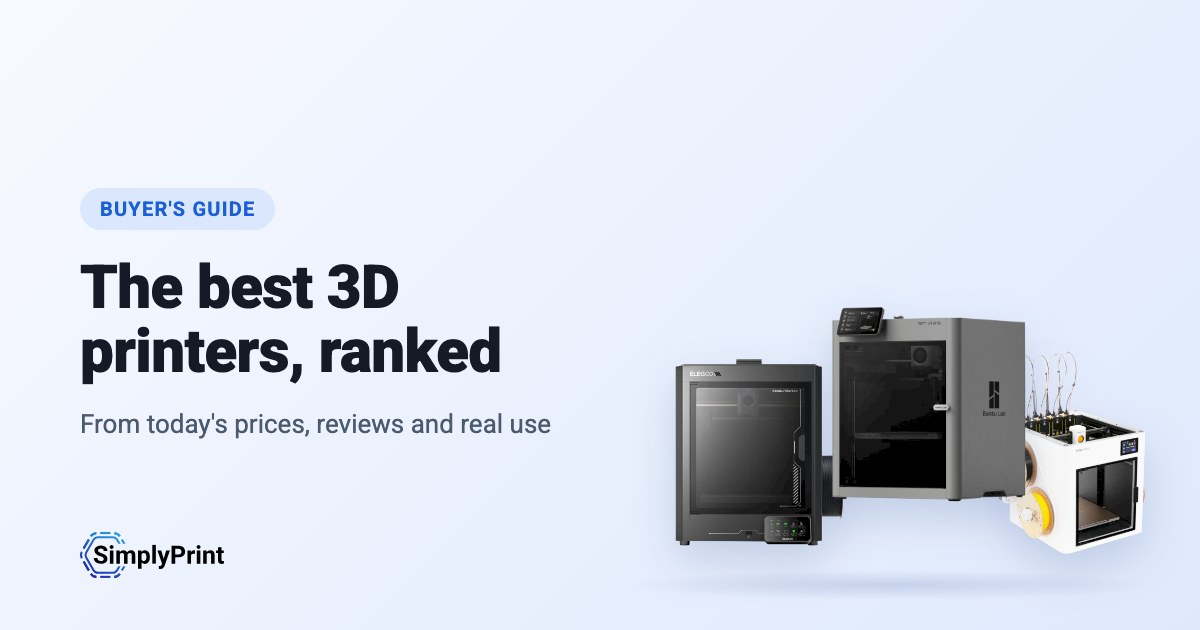
Picking the best 3D printer in 2026 is harder than it should be. There are dozens of good machines, prices change every week, and most "best 3D printer" lists are written once and left to age. This 3D printer buying guide works differently: the picks below are ranked when you open the page, from what our printer catalog knows today. That means the prices in your region's stores, independent reviews, how many people run each printer with SimplyPrint, and how open each brand leaves you.
Our picks: the best 3D printer 2026
These printers come out on top today, overall and for each budget. Looking for the best budget 3D printer? It is the pick for the lowest price band. Every reason under a printer is read from its data, and the score is out of 100. Prices are the lowest we found in your region, and the buttons take you to the store.
Ninguna impresora de nuestro catálogo cumple actualmente los criterios de esta guía. Explora en su lugar todas las impresoras compatibles con SimplyPrint. Elige tu impresora 3D
The best 3D printer for what you do
If you are asking "what 3D printer should I buy?", start with what you will use it for. The best printer for a classroom is not the best printer for a farm of forty machines. Each of these guides weighs what that buyer cares about most:
- Schools weigh safety and running without fuss: an enclosure, a reliable first print, and a way to let a whole class print without a teacher standing at every machine.
- Beginners and home users weigh price, ease and fun: multi-colour, a printer that levels its own bed, and a big community when something goes wrong.
- Print farms weigh uptime for the money: identical machines that run unattended, plate swapping, remote control and spare parts.
- Businesses weigh materials, reliability and data: engineering filaments, support, and whether the printer has to talk to its maker's cloud.
The ranking
The top ten for most people. Open a printer for its specs, reviews and setup guide, or compare the top four side by side on our printer comparison.
What to look for in a 3D printer
Enclosed or open frame
An enclosed printer keeps heat in and hands out. That matters for ABS, ASA and nylon, which warp in a draft, and in any room with children in it. An open-frame printer, where the bed moves back and forth, costs less and is easier to work on. It is fine for PLA and PETG at home.
Multi-colour
Multi-material units feed several spools into one printer, so a print can change colour or material by itself. Bambu Lab's AMS, Creality's CFS, Anycubic's ACE Pro and Prusa's MMU all work this way. They add cost and waste a little filament on every change. Toolchangers and printers with two independent extruders do the same with less waste, for more money.
Size and speed
Most people never fill a 256 mm cube. A bigger bed costs more, takes more room and heats up slower. The top speed on a spec sheet is rarely what you print at, so reliability and quality at sensible speeds matter more than the headline number.
Materials
Almost any printer prints PLA. PETG wants a hotter bed, TPU a direct-drive extruder, ABS and ASA an enclosure, and carbon-fibre filled filaments a hardened nozzle. Every printer in our compatibility list shows what it prints well, and why.
Software, and the printer's future
The printer you buy comes with a slicer, a phone app, a cloud and a firmware update schedule. Check that it works with the slicer you want, that you can print without the maker's cloud if you need to, and that the maker sells spare parts. SimplyPrint runs printers from more than 130 brands in one place, with slicing in the browser, so the brand you buy today doesn't decide the software you use tomorrow.
Open or walled garden: how free does a brand leave you?
Some 3D printer makers work like Apple. One company makes the printer, the slicer, the cloud, the multi-colour system and the spare parts, and it all works together from the first day, on that company's terms. Others work more like Android, or a Linux PC: the firmware is open source, the printer runs without the maker's cloud, any filament and slicer works, and you can buy or print the parts to repair it.
Neither is wrong. A closed system is often the easiest start, and a school or company may like one vendor answering for everything. But the maker decides what the printer can do later. In January 2025, Bambu Lab announced firmware that requires its own authorization for operations such as starting a print, and stops unauthorized third-party software from doing them. It later added an optional Developer Mode that leaves local control open, without support. An open source 3D printer sits at the other end: Prusa publishes its firmware source code, and many printers run Klipper, an open-source firmware anyone can change.
So we rate every brand in this guide in six areas, each from public sources: firmware, local control without the maker's cloud, third-party filament and slicers, repairs and spare parts, data and privacy, and community. We also keep a dated track record of recalls, layoffs, policy changes and closures. Only what happened, with its source, and never a guess about what might.
Where they come from, and staying compliant
Most of the best 3D printers today come from Chinese companies, and this ranking reflects that: right now they give you the most printer for the money. That's no judgement of the people who make them. But for some buyers, where a printer comes from matters: schools, public bodies and companies often have rules about where their devices are made and where their data goes.
Ninguna está clasificada aún en esta guía.
Any printer, on your terms, with SimplyPrint
Whoever makes your printer, SimplyPrint decides what it talks to:
- Off its maker's cloud. Most printers connect through the SimplyPrint Client on your own network, or in their local-network mode (Bambu Lab's LAN-only mode, with Developer Mode on its newer printers), so they never need their maker's cloud. You can block them from the internet entirely and let only the SimplyPrint Client connect out.
- Your data stored in Europe. SimplyPrint's cloud is hosted in Frankfurt, Germany, under the GDPR. See how we keep it secure and who processes data for us.
- One place for access. Users, permissions, single sign-on and an audit log, for every printer, whatever its brand.
- On your own servers, if you need it. See cloud vs. on-premise.
How we choose
No brand pays for its place in this guide. The ranking is a formula over our catalog, the same for every printer, and it runs again each time the page loads. This is what it weighs for this guide, out of 100 points:
| Qué valoramos | Puntos | Cómo se mide |
|---|---|---|
| Nuestra valoración para este uso | 16 | Nuestra valoración escrita de la impresora para este tipo de comprador: excelente, buena, aceptable o deficiente. No incluimos una impresora que consideramos deficiente para este uso. Aún no se han valorado todas las impresoras; para esas, se omite este factor y los demás cuentan más. |
| Cuántas se usan | 12 | Cuántas impresoras del modelo se usan con SimplyPrint, a escala logarítmica: una señal de cuántas personas confían en ella. Una versión más reciente cuenta como usada por al menos la mitad que la impresora más usada a la que sucede, para que no se penalice por ser nueva. |
| Precio | 12 | El precio actual más bajo para tu región, comparado en escala logarítmica con los demás de la guía. La ausencia de precio actual cuenta como precio bajo. |
| Funciona con SimplyPrint | 10 | Verificada por SimplyPrint, compatible o con conexión que debería funcionar. |
| Reseñas independientes | 10 | Cuántos revisores reputados, prensa y YouTube, la han analizado, hasta cuatro. |
| Cerramiento | 8 | La carcasa totalmente cerrada cuenta más, la parcialmente cerrada la mitad. |
| Multicolor y multimaterial | 8 | Si incluye o funciona con una unidad multimaterial, un cambiador de herramientas o dos extrusores. |
| Novedad | 8 | Una impresora lanzada este año o el anterior cuenta por completo, y menos cada año posterior. Una impresora con una versión más reciente no obtiene nada aquí. |
| Cámara integrada | 6 | Una cámara integrada para vigilar las impresiones y detectar fallos. |
| Materiales que imprime bien | 4 | Cuántos tipos de filamento imprime bien, según sus temperaturas, su cerramiento y la lista del fabricante. |
| Valoración de usuarios de SimplyPrint | 3 | Qué valoración le dan los usuarios de SimplyPrint, cuando la han dado. |
| Apertura de la marca | 3 | La posición de la marca en nuestra escala de abierto a ecosistema cerrado, más abajo. Sin valorar aún cuenta como punto medio. |
Una impresora entra en la selección cuando funciona con SimplyPrint (verificada, compatible o prevista por su forma de conexión), es un modelo propio del fabricante y sigue a la venta: el fabricante aún la vende, una tienda tiene un precio actual o se lanzó en los últimos 3 años.
Esta guía clasifica impresoras que cuestan hasta US$800 en su tienda más barata; se excluye una más cara salvo que la seleccione nuestro editor.
Lo abierta que sea una marca cuenta unos pocos puntos, nunca los suficientes para hacer que una impresora inferior sea la mejor. Su trayectoria se muestra en cada selección, pero no cambia la puntuación: las noticias sobre una empresa no dicen nada de su impresora.
La puntuación elige las impresoras, con una excepción: cuando nuestra experiencia práctica con una impresora no coincide con su puntuación, nuestro editor puede elegir otra, y esa elección lo indica.
Cuando una versión más reciente de una impresora está en la guía y se sabe que funciona con SimplyPrint, se excluye la antigua. Si la reciente no lo está, se mantiene la antigua, no recibe puntos por su novedad e indica que tiene una versión más reciente.
Algunos fabricantes nos envían impresoras o colaboran directamente con nosotros; cuando lo hacen, la guía lo indica junto a sus impresoras.
¿Has visto algo incorrecto? Cuéntanoslo y lo corregiremos. Contactar
La escala de apertura
Cada marca recibe una puntuación del 1 (cerrada) al 5 (abierta) en seis áreas, según fuentes públicas que mostramos con cada puntuación. La puntuación general es la media ponderada y sitúa a la marca en una escala de ecosistema cerrado a abierto:
| Área | Peso |
|---|---|
| Firmware y firmware personalizado | 30% |
| Control local e integraciones | 30% |
| Filamento, slicers y piezas de terceros | 15% |
| Reparaciones y repuestos | 10% |
| Datos y privacidad | 10% |
| Comunidad y documentación | 5% |
Abrir a partir de 4.25 · Mayormente abierta a partir de 3.50 · Mixto a partir de 2.75 · Mayormente cerrada a partir de 2.00 · Ecosistema cerrado por debajo
Some buying links earn us a commission at no cost to you; they never change the ranking. We make SimplyPrint, which runs printers from every brand here, so "works with SimplyPrint" is one factor. It is a fair sign of how many people trust a printer, and it is the software you would manage the printer with if you chose to.
Elaborado hoy a partir de nuestro catálogo: 0 impresoras clasificadas de 0 a la venta compatibles con SimplyPrint. Aún estamos añadiendo nuestras valoraciones escritas; hasta entonces, la clasificación se basa solo en los datos.